
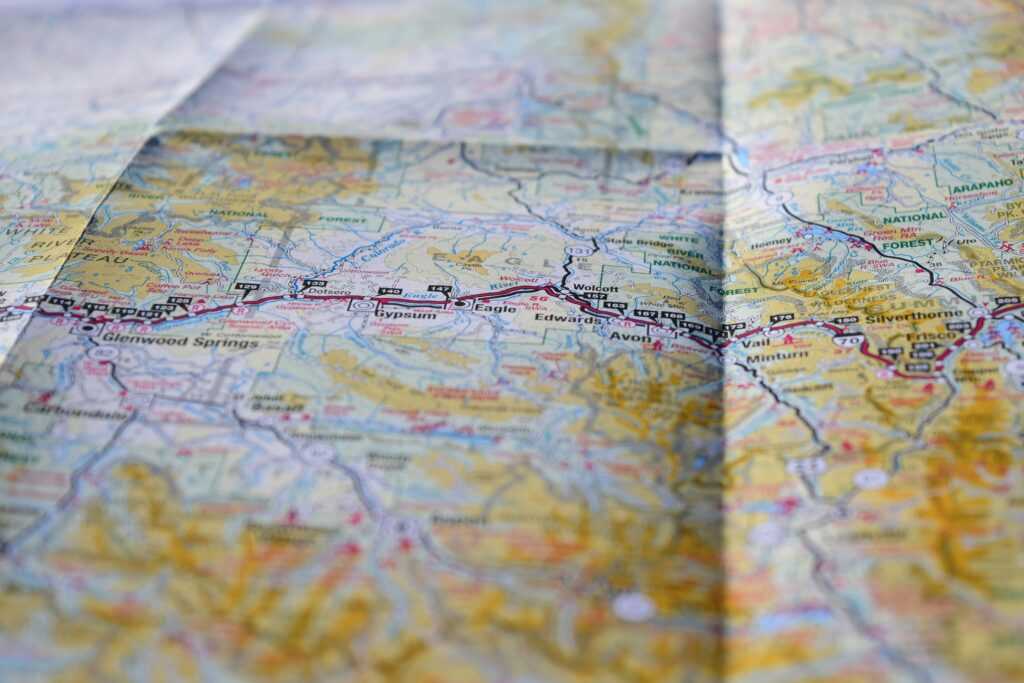
Get Comfortable with the Basics
Before you get deep into route planning or travel hacks, learn to navigate the map itself. Start with zoom controls they usually sit in a corner of the interface. Zoom in for street level details like crosswalks and building names, zoom out for a birds eye view of entire regions. Simple to use, easy to overlook. Don’t.
Next, layer toggles. These let you switch between satellite imagery, terrain maps, and basic street views. Each mode tells a different story. Satellite shows the real world look of an area (great for assessing the vibe), terrain highlights elevation (key for hikers), and street view keeps it clean and fast loading for urban travel. Toggle freely depending on what you’re after.
And then there’s the legend usually a clickable icon or tucked into the corner. This is your key to decoding the map’s language: blue lines for rivers, green patches for parks, orange zones for heavy traffic, pins for key points of interest. If your map shows mystery icons, the legend will tell you what they mean. Spend a minute learning the symbols. You’ll read the map faster and make sharper travel calls.
Multi Layer Mastery
If you’re only using maps to see where something is, you’re missing most of the value. Interactive travel maps now offer layered data think traffic flows, elevation changes, and public transit lines all stackable to give you a fuller picture of your surroundings. Real time traffic can save hours when you’re navigating unfamiliar cities. Public transport overlays help you time connections across bus, train, and tram networks without switching apps. And elevation data? It’s not just for hikers knowing the lay of the land can tell you a lot about how fast or safe a route might be.
Mixing layers makes all the difference. Planning a road trip through the mountains? Throw on elevation and traffic. Trying to move through a busy city during rush hour? Combine public transport tracking with traffic status. The goal is utility, not clutter use just enough layers to make smarter decisions without overwhelming the map.
As for overlays, context is key. City overlays are great for finding museums, quick eats, or Wi Fi zones. Regional overlays lean into natural features, accommodation zones, and broader route logistics. Route based tools shine when you’re traveling point to point and need to plan rest stops or detours.
Want to level up? The map reader guide shows how to set up and switch views with minimal fuss.
Reading Context, Not Just Location

When you’re staring at a map especially on a small screen distance can play tricks on you. That cute village three fingers to the right might actually be a two hour detour. Trust your tools, not your instincts. Use the scale bar. Glance at the estimated travel time before you assume a road is quicker just because it looks straight. The eye lies; data doesn’t.
Most interactive maps now give built in route tools. Use them. Toggle between car, bike, and walking times they vary more than you’d think. Drag the route. Try alternatives. These little tweaks save hours, not minutes.
Zooming out helps too. Patterns emerge. Large patches filled with restaurants and attractions? Tourist central. Sparse icons but lots of small roads? Potential hidden gem. Residential clusters with bakeries, pharmacies, and parks? That’s where locals live, and probably where you’ll find coffee without a line.
Interpreting what’s on the map is just as important as knowing where you are. Look closer, travel smarter.
Customizing for the Journey
Think of your map like a well marked journal. First step: learn how to bookmark points of interest. Most modern map apps Google Maps, Apple Maps, Gaia GPS let you tap and hold to drop a pin. From there, you can name the location, assign a custom icon or color, and even categorize it (e.g., food stop, wild camp, gas station). Over time, you build a visual trail of your plans or your memories.
For travelers who like to stay one step ahead, setting alerts is a no brainer. Many apps allow for real time updates on road closures, weather issues, or public transit outages. Look for settings under “Notifications” or “Trip Settings.” Activate push alerts if you’re in fast changing environments like mountain roads or city centers during events. It’s the difference between being caught off guard or adjusting your route smoothly.
Finally, maps offline. Don’t assume you’ll always have signal. Whether you’re heading into remote countryside or navigating a subway in a foreign city, download your routes in advance. Almost every app has a “Download” or “Offline Maps” function. Save entire regions, or just the zones you know you’ll be exploring. It’s fast insurance and it works when Wi Fi doesn’t.
From Passive to Proactive Navigation
Most people tap a map app when they’re already lost. That’s reactive. Smarter travelers use maps upfront building their routes, checking for problems, and staying ahead of the curve. Planning isn’t just knowing where you’re going it’s knowing what could go wrong along the way.
Before any hike, road trip, or city trek, scan the terrain. A flat looking route might mean hours of switchbacks. River crossings, steep grades, or washed out trails are easy to miss unless you really look. Use elevation layers, measure distances with scale bars, and scope satellite views to catch surprises before they catch you.
Then cross reference. Don’t just trust the map read local reviews, check trail photos, and skim forums. A well drawn path could be an overgrown nightmare. Nearby attractions could be crowded tourist traps or hidden gold. The map gives the bones, but the community fills in the skin.
When in doubt, dig into a full resource like the map reader guide. It breaks down how to turn any digital map into a real world advantage. Don’t wait for a detour sign know the road before you hit it.
Final Pro Moves
Interactive maps aren’t just about getting from A to B they’re command centers for serious travelers. Start by syncing your maps across devices. That means your saved places, routes, and updates follow you from desktop to phone to tablet without a hiccup. No more scrambling for directions when your phone battery bites it your plans stay live and accessible.
Next, don’t go it alone. Most mapping platforms let you share full itineraries with travel partners in a few taps. Whether you’re coordinating an overseas trip or just planning a weekend road trip with friends, shared access means fewer group chats, fewer missed turns.
And if you’re bouncing between airports, cities, or countries, pack a planning punch with quick checklists. Key flight details, hotel pin drops, emergency contacts, local SIM info build them into your maps or keep them one click away. Think of it as travel muscle memory: light, fast, efficient.
Stay sharp, stay curious the map’s more than directions, it’s a smart traveler’s toolkit.
 Ask Joseph Justusavos how they got into maps and navigation tools and you'll probably get a longer answer than you expected. The short version: Joseph started doing it, got genuinely hooked, and at some point realized they had accumulated enough hard-won knowledge that it would be a waste not to share it. So they started writing.
What makes Joseph worth reading is that they skips the obvious stuff. Nobody needs another surface-level take on Maps and Navigation Tools, Travel Guides and Tips, Destination Highlights. What readers actually want is the nuance — the part that only becomes clear after you've made a few mistakes and figured out why. That's the territory Joseph operates in. The writing is direct, occasionally blunt, and always built around what's actually true rather than what sounds good in an article. They has little patience for filler, which means they's pieces tend to be denser with real information than the average post on the same subject.
Joseph doesn't write to impress anyone. They writes because they has things to say that they genuinely thinks people should hear. That motivation — basic as it sounds — produces something noticeably different from content written for clicks or word count. Readers pick up on it. The comments on Joseph's work tend to reflect that.
Ask Joseph Justusavos how they got into maps and navigation tools and you'll probably get a longer answer than you expected. The short version: Joseph started doing it, got genuinely hooked, and at some point realized they had accumulated enough hard-won knowledge that it would be a waste not to share it. So they started writing.
What makes Joseph worth reading is that they skips the obvious stuff. Nobody needs another surface-level take on Maps and Navigation Tools, Travel Guides and Tips, Destination Highlights. What readers actually want is the nuance — the part that only becomes clear after you've made a few mistakes and figured out why. That's the territory Joseph operates in. The writing is direct, occasionally blunt, and always built around what's actually true rather than what sounds good in an article. They has little patience for filler, which means they's pieces tend to be denser with real information than the average post on the same subject.
Joseph doesn't write to impress anyone. They writes because they has things to say that they genuinely thinks people should hear. That motivation — basic as it sounds — produces something noticeably different from content written for clicks or word count. Readers pick up on it. The comments on Joseph's work tend to reflect that.