
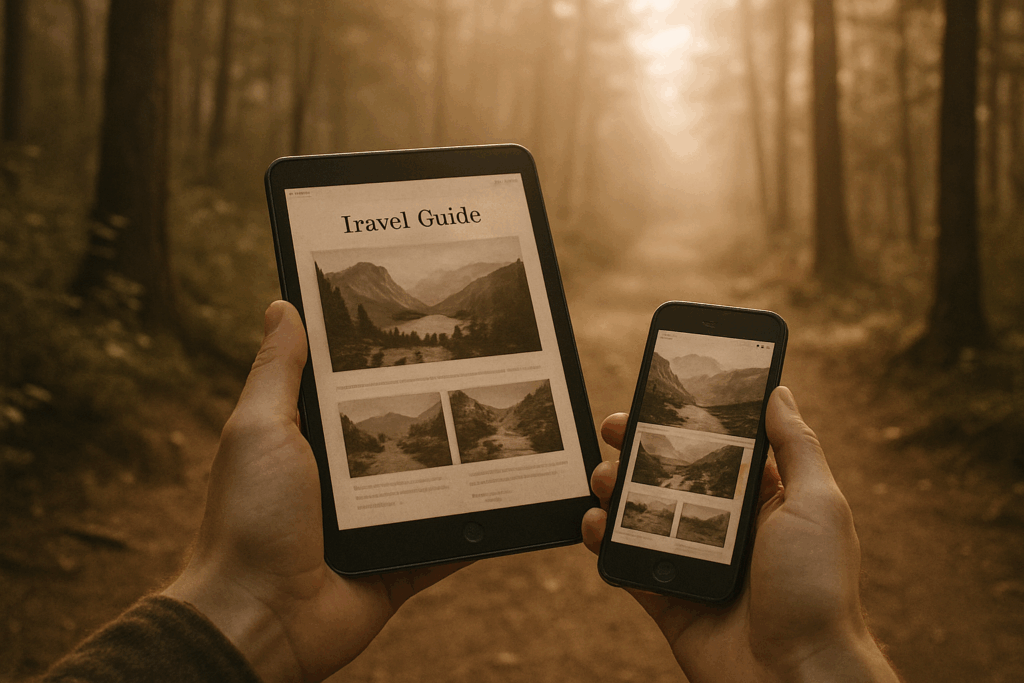
When Wi Fi Fails: Why Offline Maps Still Matter in 2026
International roaming has gotten better faster speeds, wider coverage but it’s still far from perfect. Signal drops the moment you get into the mountains, dive underground, or touch down in a rural corner of a new country. And if you’re not on a generous global data plan, your phone bill might make you sweat more than the hike itself.
That’s where offline maps step in. They work without burning data or draining your battery hunting for signal. Pre downloading maps means spinny loading wheels don’t slow you down, whether you’re in Berlin’s U Bahn, the backroads of Patagonia, or trying to find your hostel in a sudden rainstorm after midnight.
It’s not just about convenience. Navigating without signal gives you control. A good offline map gets you where you’re going, keeps you confident, and frees up mental energy for the actual experience. You’re not fighting your phone you’re actually using it.
Google Maps (Offline Mode)
Even in 2026, Google Maps holds the crown for all around offline navigation. It’s global, it’s versatile, and chances are you already have it on your phone. Whether you’re walking through the backstreets of Kyoto, catching a tram in Amsterdam, or biking coastal roads in Portugal, Google Maps handles it all. Transit, walking, driving, cycling it’s all there in one interface.
The real value today is in its offline mode. You can pre download large regions while you’re on Wi Fi, perfect for areas with weak signal or no data access at all. Go into the menu, tap your profile icon, select “Offline maps,” and choose your zones. It smartly updates old versions when you’re online, and compresses downloads to save space.
Storage wise, the app does a good job managing file sizes without skimping on detail. You can delete individual regions or let Maps auto expire unused ones. The UI is clean, reliable, and comes with solid offline search and routing built in no internet needed to figure out which turn to take.
Learn how to really stretch this tool with Use Google Maps Like a Travel Pro.
What to Look For in an Offline Map App
Not all offline maps are created equal, and the differences usually show up when you actually need them. Here’s what matters.
First, storage vs. detail. Some apps like Maps.me offer full country downloads in bite sized files. Others like Google Maps take up more space because of higher visual detail and layered data (think 3D buildings, restaurants, ratings). If your phone’s tight on storage and you’re visiting multiple countries, go lean or prioritize key zones.
Next, GPS accuracy without a connection. Good offline maps should still use your phone’s GPS chip to track your location in real time. No bars? No problem. Apps like HERE WeGo and OsmAnd nail this, showing you where you are even in airplane mode, deep in a fjord or three miles off grid.
Offline search and bookmarking matter more than you think. You’ll want to find that one café you saved two days ago or get directions back to your hotel before your power bank dies. Look for apps that support full text offline search and let you pin or favorite spots directly on the map.
Battery life can make or break a tool’s usefulness. Heavy apps drain fast while sitting open on your dashboard or during long hikes. OsmAnd can be a battery hog if set to full detail. Google Maps in offline mode is better optimized, and Maps.me is a champion in low power mode. Best practice: download your maps, switch to airplane mode, rely on GPS, and preserve juice for when you need it most.
Pro Tips Before You Go
Before wheels up, do yourself a favor and update your maps. Airport Wi Fi is a gamble slow, spotty, and barely useful for app downloads. It takes five minutes at home. Do it while your coffee’s brewing.
Next, save key locations ahead of time. Your hotel, embassy, and a couple of must see spots should all be pinned. You don’t want to be zooming through a maze of streets at 11 p.m. trying to find a bed or worse, a way out.
Keep your phone on airplane mode but with GPS on. GPS still works without data, and you’ll save a ton of battery. Most offline apps are built to work without signal, but your phone needs that location lock.
Last move? Don’t commit to a single app. Download at least two. Google Maps might miss a hiking trail, OsmAnd might not have your hotel’s Wi Fi password pinned. You’ll thank yourself when one app crashes and you’ve got backup.
Travel smart. It’s not complicated, but it’s easy to overlook until you’re stuck.
Bottom Line
Offline maps in 2026 aren’t just backup they’re part of the plan. With better GPS accuracy, smarter routing, and cleaner designs, these tools have graduated from niche to necessary. Whether you’re weaving through alleyways in a foreign city or risking signal drops in remote terrain, having a solid offline map app means you move with confidence, not guesswork.
The best part? They don’t drain your data or your battery. Today’s offline apps have learned to prioritize performance over frills. They load fast, run lean, and keep you informed when the cloud can’t. Gone are the days of blurry tiles and disconnected dead ends.
So don’t gamble on connectivity. Go fully equipped. Download, update, and customize before you leave home. Because in 2026, knowing where you are anytime, anywhere isn’t a luxury. It’s the baseline.
 Ask Joseph Justusavos how they got into maps and navigation tools and you'll probably get a longer answer than you expected. The short version: Joseph started doing it, got genuinely hooked, and at some point realized they had accumulated enough hard-won knowledge that it would be a waste not to share it. So they started writing.
What makes Joseph worth reading is that they skips the obvious stuff. Nobody needs another surface-level take on Maps and Navigation Tools, Travel Guides and Tips, Destination Highlights. What readers actually want is the nuance — the part that only becomes clear after you've made a few mistakes and figured out why. That's the territory Joseph operates in. The writing is direct, occasionally blunt, and always built around what's actually true rather than what sounds good in an article. They has little patience for filler, which means they's pieces tend to be denser with real information than the average post on the same subject.
Joseph doesn't write to impress anyone. They writes because they has things to say that they genuinely thinks people should hear. That motivation — basic as it sounds — produces something noticeably different from content written for clicks or word count. Readers pick up on it. The comments on Joseph's work tend to reflect that.
Ask Joseph Justusavos how they got into maps and navigation tools and you'll probably get a longer answer than you expected. The short version: Joseph started doing it, got genuinely hooked, and at some point realized they had accumulated enough hard-won knowledge that it would be a waste not to share it. So they started writing.
What makes Joseph worth reading is that they skips the obvious stuff. Nobody needs another surface-level take on Maps and Navigation Tools, Travel Guides and Tips, Destination Highlights. What readers actually want is the nuance — the part that only becomes clear after you've made a few mistakes and figured out why. That's the territory Joseph operates in. The writing is direct, occasionally blunt, and always built around what's actually true rather than what sounds good in an article. They has little patience for filler, which means they's pieces tend to be denser with real information than the average post on the same subject.
Joseph doesn't write to impress anyone. They writes because they has things to say that they genuinely thinks people should hear. That motivation — basic as it sounds — produces something noticeably different from content written for clicks or word count. Readers pick up on it. The comments on Joseph's work tend to reflect that.